Important Note
Since November 2015 and release of v1.4.2, plugin Posts-per-Cat has become Unmaintained. That means no free support from developer or further updates/fixes will be released.
If you are interested to acquisition of plugin, please contact us
Posts per Cat is extension for WordPress that list titles for latest # post for all or top level categories on blog. Titles are grouped to boxes distributed in two columns.
Jump to: Features | Download | Installation | Usage | Shortcode | Settings | Widget | Preview | Your Support
Features
- set how many boxes per row will be displayed (one, two, three or four)
- set number of post titles to display per category
- set category ID’s to exclude, or
- set category ID’s to include
- toggle displaying of child categories
- ordering boxes by category ID, title or custom
- toggle displaying excerpt above post title (for first post only, for all posts or none)
- toggle displaying featured image for posts
- toggle displaying number of comments (with link) added to post title
- toggle displaying sticky posts
- toggle usage of custom list CSS
- SEO optimized permalink URI’s
- translantable
- integrate to template file, use shortcode
[[ppc]]with options or widget - produces XHTML 1.1 valid code
- published under terms of GNU GPLv3
Download
Fixed widget functionality and updated compatibility to 3.8.1
Or visit official WordPress.org page https://wordpress.org/plugins/posts-per-cat/
Installation
Posts Per Cat is easy to install, same as any other extension. You can do it manual or automatic.
- For manual installation: download, unpack archive and upload directory posts-per-cat to wp-content/plugins/ directory on your hosting server with some FTP client (I recommend free and safe FileZilla).
- For automatic installation: go to Plugins → Add New, enter keyword Posts per Cat, click Search button, then click link Install Now.
Usage
After activation on Plugins page, go to Settings → Posts per Cat and configure options per your preferences.
Then simply insert shortcode ppc outside of Loop in place where you wish to display Posts per Cat boxes. You can use widgets or even post/page content.
If you wish to add Posts per Cat boxes permanent, then use PHP code below in your template file (for example, to index.php just before closing tag for content):
<?php do_action('ppc'); ?>Shortcode
You can insert shortcode [[ppc]] to front page or other static pages or posts content. Here is set of options that you can set to shortcode and override default plugins settings:
- columns=2 – Number of columns (1, 2, 3 or 4)
- minh=0 – Minimal height of box (in px, set to 0 for auto)
- include=category_ID’s – Include category (comma separated category ID’s)
- exclude=category_ID’s – Exclude category (comma separated category ID’s)
- parent=0 – Only top level categories (0 or 1)
- order=ID – Order categories by (ID, name or custom)
- catonly=0 – Only from displayed category archive (0 or 1)
- noctlink=0 – Do not link category name (0 or 1)
- more=0 – Standalone link to archives (0 or 1)
- moretxt=”More from” – Archive link prefix
- posts=5 – Number of headlines per category block
- titlelen=34 – Headline length (in characters)
- shorten=0 – Shorten headline (0 or 1)
- commnum=0 – Display comment number (0 or 1)
- nosticky=0 – Hide sticky posts (0 or 1)
- excerpts=none – Show excerpt (none, first or all)
- content=0 – Use post content as excerpt (0 or 1)
- excleng=100 – Excerpt length
- thumb=0 – Show thumbnail with excerpt (0 or 1)
- tsize=60 – Thumbnail size, set size in px for thumbnail width (height is same)
Example of shortcode usage:
[[ppc columns=4 posts=7 include=49,1,38,29 thumb=1 tsize=150]]
Settings page
Default settings on Settings page are divided to five sections: Boxes, Categories, Headlines, Content and Styling
Boxes
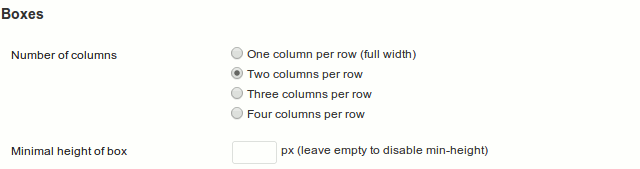
- Number of columns: select preferred number of columns to organize category boxes into (one for full width, two, three or four)
- Minimal height of box: prevent bad positioning of boxes when some category have no enough posts to display.
Categories
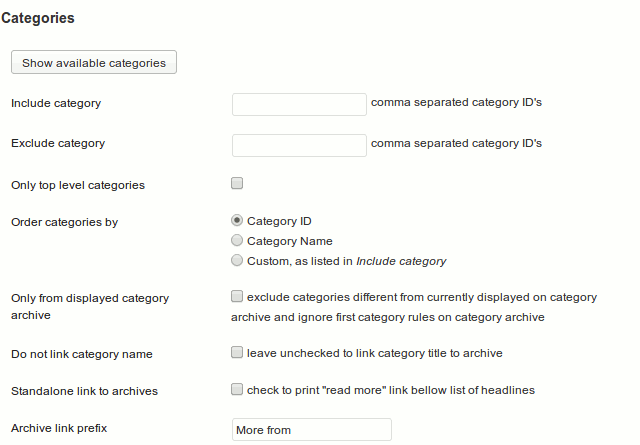
- Show available categories: display table of categories with ID’s and number of posts inside, so you can easy identify categories to use in following options
- Include category: comma separated array of category ID’s to include = only that categories will be displayed
- Exclude category: comma separated array of category ID’s to exclude = display all but this categories
- Only top level categories: do not display subcategories
- Order categories by: descriptive enough. Sort categories by ID, Name or by order entered in Include category field
- Only from displayed category archive: exclude categories different from currently displayed on category archive and ignore first category rules on category archive
- Do not link category name: if disabled, category title will be linked to category page
- Archive link prefix: WHen previous option is enabled, link to category with this prefix will be displayed on the bottom of category box
Headlines
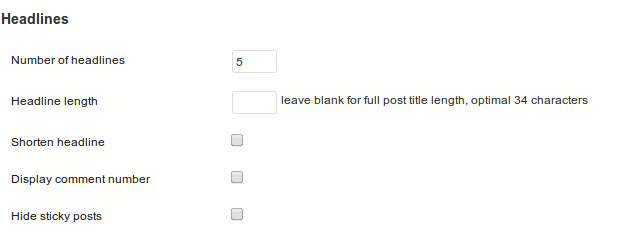
- Number of headlines: how many post titles to display from category
- Headline length: set how many characters will have headline. If original is longer, text will be shortened to defined length.
- Shorten headline: enable this option if you wish to cut headline length to number of characters defined in previous option
- Display comment number: show number of comments at the end of headline
- Hide sticky posts: exclude sticky posts from headlines
Content
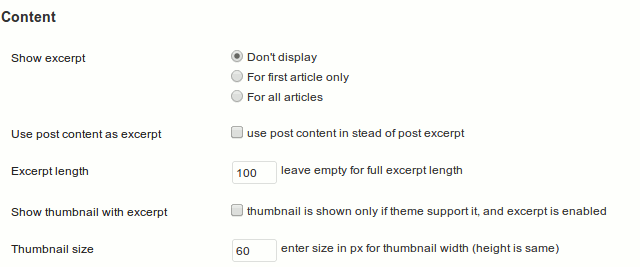
- Show excerpt: do you wish to show excerpt from post?
- Use post content as excerpt: if no excerpt is set, use content to generate excerpt from content. If disabled, if no excerpt is set for post, nothing will be displayed for that post in PPC.
- Excerpt length: shorten excerpt to defined number of characters
- Show thumbnail with excerpt: when excerpts are enabled, show featured image from post
- Thumbnail size: set sife for featured image
Styling
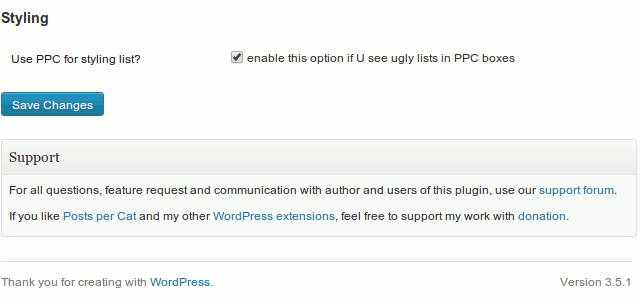
We have some predefined style for Posts per Cat boxes. You can enable option Use PPC for styling list to include that styles to page. If disabled, style boxes in your theme’s style.css file.
Widget
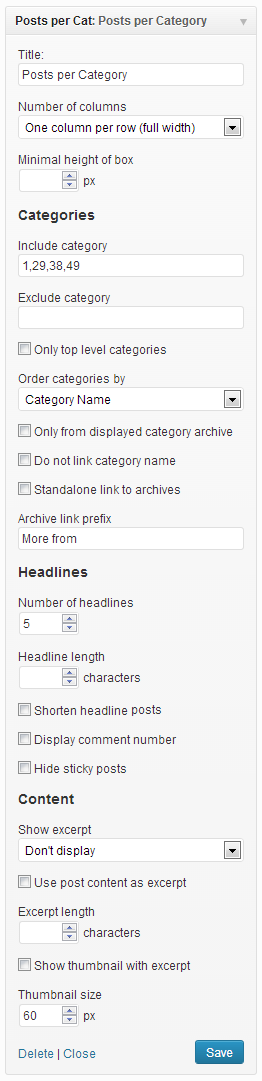
Starting with version 1.2.0 we provide native widget with options that override default settings.
Preview
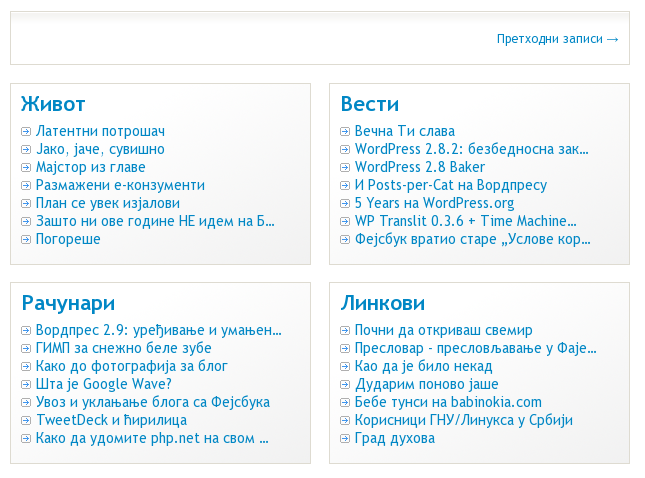
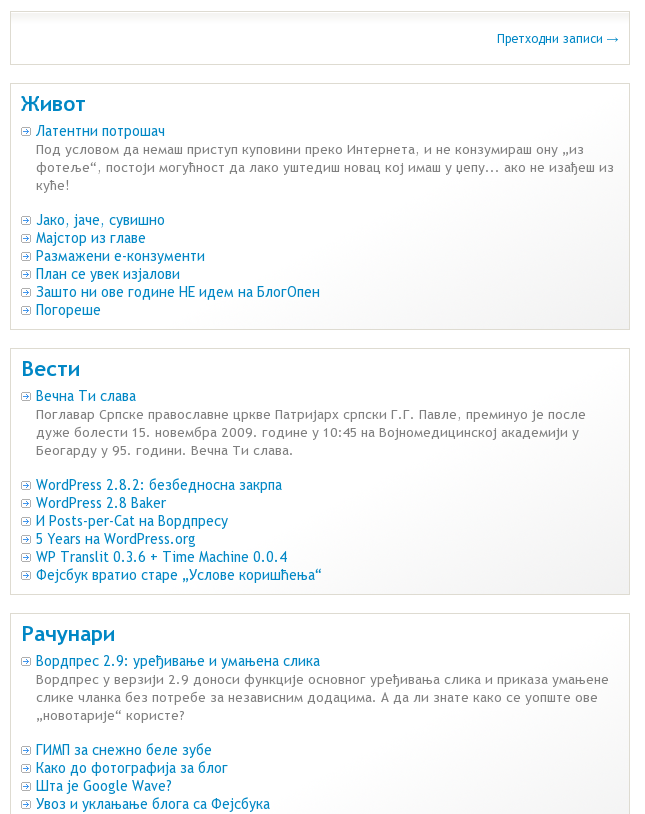
And we appreciate your support
Spread voice about Posts-per-Cat on social networks, rate and review on WordPress.org, feedback in comments below or
13 responses to “Posts Per Cat [Unmaintained]”
Hi i used your plung in since v1.0. Now I used v1.2 and i got some problem with content function. If i choose Use post content as excerpt and it brake home page.(index.php). I teseted default themes and many others. Please help me. I tested localhost and online.
How to add the date of publication the article?
Hi
Can I set to list cat post on certain pages only so I have full control of what post shows up on what page. Correct me if I’m wrong, but it seems to me the setting now is only done universally, on all pages.
Thank you in advance.
Alvin
You can configure individual widget or shortcode and use them with other conditional control where you wish to display PPC.
For widget you can use Display Widgets or Widget Logic (and show PPC widget only on certain pages), or hardcode if;then;else in your theme files.
Hi Your plugin w working fine but now I get this:
Warning: Illegal string offset ‘enabled’ in /home/mikebi9/public_html/wp-content/plugins/posts-per-cat/wp-postspercat.php on line 111 Fatal error: Cannot unset string offsets in /home/mikebi9/public_html/wp-content/plugins/posts-per-cat/wp-postspercat.php on line 112
Any ideas?
Many thanks,
Mike
Hi Mike,
What version of Redux Framework and Posts per Cat you have?
I would like to know how to include custom post type as well as the custom post type categories.
Sorry, Posts-per-Cat does not support custom post type, only regular WP posts (even not pages). Maybe in future, but not soon.
Hello I use this shortcode:
I have an error massages:
Warning: array_keys() expects parameter 1 to be array, null given in …/wp-content/plugins/posts-per-cat/wp-postspercat.php on line 113
Warning: implode(): Invalid arguments passed in …/wp-content/plugins/posts-per-cat/wp-postspercat.php on line 113
Warning: array_keys() expects parameter 1 to be array, null given in …/wp-content/plugins/posts-per-cat/wp-postspercat.php on line 117
Warning: implode(): Invalid arguments passed in …/wp-content/plugins/posts-per-cat/wp-postspercat.php on line 117
What can cause the problem?
An update to Redux was just released, updating from 1.0.0 to 3.5.1. When I tried to update it, it would not work. WP just said that the update had finished, but it was still showing that an update was available. I contacted the developer of Redux, who made some suggestions, but none worked. I then tried to disable Posts Per Cat, then process the update. It worked. I was then able to reactivate your plugin. Now everything appears to be working correctly.
I think you’ll need to make some fixes to your plugin to allow for version 1.0.0 of Redux.
Hi Tyler,
Oldest Redux Framework version available to download and install is 3.0.0 but Posts-per-Cat does not work with that version and requires at least 3.1.0. (you can find it here https://wordpress.org/plugins/redux-framework/developers/)
I setup test environment (WordPress 4.2-beta4-32091, Redux Framework 3.1.0 and Posts-per-Cat 1.4.1.1). Updated Redux Framework on Dashboard -> Updates from 3.1.0 to 3.5.1 w/o any problem.
What version of PHP, WordPress and Posts-per-Cat you have?
Info: also answered on WordPress support forum https://wordpress.org/support/topic/redux-351-update-fails-while-posts-per-cat-is-activated
Hi, sir
i was install post per cat plugin in my wordpress site but the following error display when i trying to add ppc code in site aur add widget
“Fatal error: Call to undefined function mb_strlen() in /home/ilmkisha/public_html/wp-content/plugins/posts-per-cat/wp-postspercat.php on line 286”
please solve this problem
Thanks & Regards
Navid
Can you please try with version 1.4.1.2 – download it from here. Thank you.